
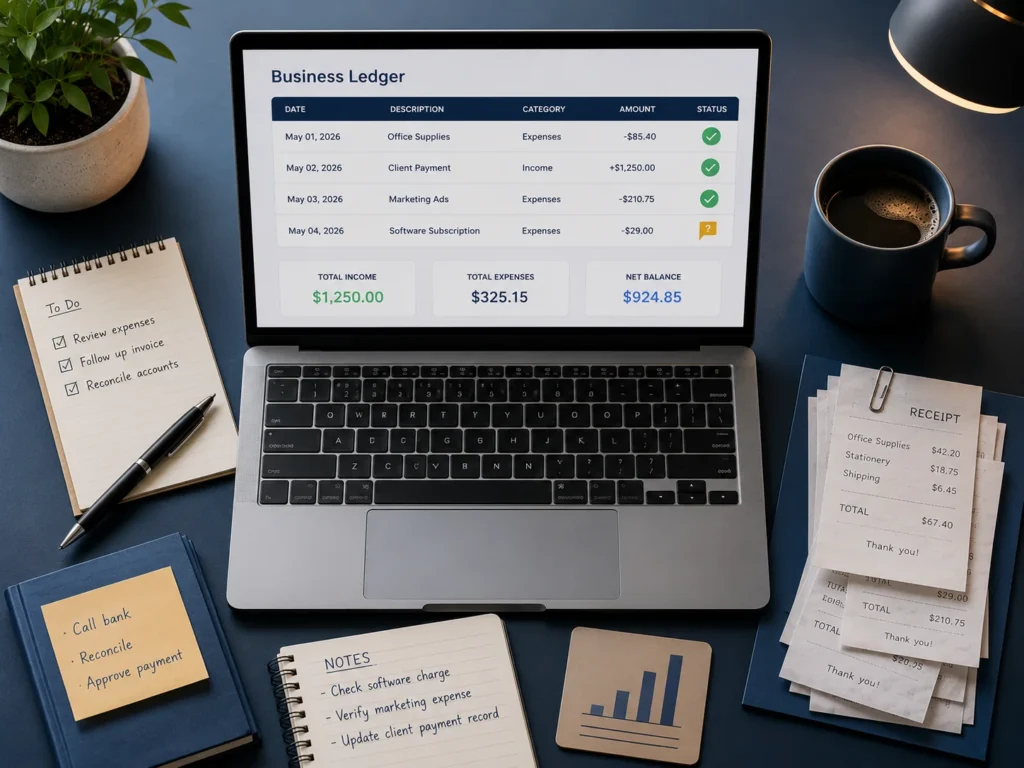
Your bank feed updates overnight. By morning, most of last week’s transactions are already categorised, matched and waiting for a quick review. That is the promise of AI bookkeeping agents for small business in 2026, and for many it is close to reality.
The gap between the promise and the purchase is where people get hurt. The entry plan you saw advertised often does not include the AI you saw demonstrated. The tool that reconciles your accounts for free is rarely the one topping the comparison lists. And the question almost nobody asks, until it matters, is what happens to your books if the company holding them disappears.
This guide covers what AI bookkeeping agents for small business actually do, what each platform charges, and how to pick one. Every price and feature below comes from the vendor’s own documentation, verified on 16 July 2026 and linked so you can check it yourself.
What AI bookkeeping agent for small business actually does
An AI bookkeeping agent is software that performs bookkeeping tasks with limited human direction, rather than simply suggesting them. The distinction matters, and if the underlying idea is new to you, our guide to what AI agents are and how they work covers the fundamentals in plain language.
Traditional accounting software has offered rules-based automation for years. If a transaction says “Shell”, code it to fuel. That is a rule, and it breaks the moment reality gets untidy.
Agentic tools work differently. They read context, learn from your corrections, and act. Intuit describes the difference as achieving something rather than creating something. In practice, an agent handles the work that used to fill your Sunday evening:
- Categorising bank and card transactions
- Matching payments to invoices and bills
- Extracting data from receipts and supplier documents
- Reconciling bank accounts against statements
- Flagging anomalies in your profit and loss or balance sheet
- Chasing missing receipts
- Drafting invoice reminders based on payment history
What they do not do is exercise judgement. An agent can tell you a transaction looks unusual. It cannot tell you whether that unusual transaction is a legitimate business expense, a personal purchase on the wrong card, or the start of a problem. That distinction stays with you, and it has consequences.
Before you buy: you are still responsible for the numbers
This is the part vendor blogs leave out, so it goes near the top here.
Tax authorities hold the business owner responsible for the accuracy of their reporting. It does not matter whether a human bookkeeper, a spreadsheet or an algorithm prepared the underlying records. If the books are wrong, that is your exposure, not the software’s.
Read the vendor language carefully and you will notice they already know this. On its official Intuit AI page, Intuit states plainly that its AI never replaces the expertise your accountant provides, and that work completed by its agents lands in a feed ready for you to review and approve. Xero says JAX will not act on your behalf and needs your prompt to do anything. Both companies are describing tools that assist a responsible human, not tools that replace one.
Treat any AI output touching tax or compliance as a first draft. That single habit prevents most of the trouble in this category.
The tier trap: why the entry plan is not the plan you saw advertised
Here is the finding that should change how you shop.
The AI does not live on the cheapest plan.
QuickBooks Online Simple Start costs $38 per month. It includes expense categorisation, tax deduction suggestions and a chat assistant capped at 25 questions per month. What it does not include is Accounting AI, the agent that actually cleans up your books. That starts on Essentials at $75 per month, nearly double.
Xero follows the same pattern at a lower threshold. Its Early plan at $25 gives you Smart Document Capture and manual bank reconciliation. Auto-reconcile, the feature that removes the tedious part, is currently in beta and starts on Growing at $55, as set out on Xero’s own pricing page.
So when a marketing page says a platform has AI agents, ask which plan, and check whether the specific agent you want is included or still in beta. Sales Tax AI and Project Management AI are both beta on QuickBooks. Xero’s auto-reconcile is beta. Beta means changing, and it means you are testing it as much as they are.
The practical move: identify the one task eating your time, find the exact plan that automates that task, and price from there. Do not price from the headline tier.
QuickBooks Online: the autonomous approach
Intuit has gone furthest toward genuine autonomy. It now runs a suite of eight named AIs: Accounting AI, Payments AI, Payroll AI, Customer AI, Sales Tax AI, Finance AI, Project Management AI and Business Tax AI. Note the naming, because most comparison articles still call these Agents, which is how you can tell they have not checked recently.
Accounting AI is the bookkeeping one. It groups transactions it is confident about as ready to post, requests missing context from you or your accountant, verifies that receipts uploaded actually match, and flags anomalies on your balance sheet and profit and loss with an explanation of the root cause.
The philosophy is background work. It runs quietly, does the tedious part, and surfaces results for approval.
Strengths: the deepest automation available at small business prices, the largest third-party app ecosystem, and the platform most accountants already know.
Limitations: the AI you want starts at $75. Advanced at $275 is where the higher-level agents live. Two of the eight are still in beta. Intuit also has a well documented habit of raising prices annually, so budget beyond year one.
Best for: businesses that want the automation to run without being asked, and are willing to pay from Essentials upward for it.
Xero: the ask-first approach
Xero’s answer is JAX, which it calls a financial superagent, and its design philosophy is the opposite of Intuit’s.
According to Xero’s official JAX documentation, JAX chat is available to every Xero subscriber at no extra charge, on every plan including Early at $25. But it only does something when you open it and ask. It will not run in the background. It will not act on your behalf. Xero is explicit that if you would rather not use it, you can simply leave it unopened.
You can ask it for a gross profit trend, an invoice built from a previous quote, or industry benchmarking that pulls live public data alongside your own numbers. Separately from chat, Auto Bank Reconciliation runs in beta on Growing and above, and Smart Document Capture pulls data from source documents on all tiers.
Xero also gives the clearest data answer of the three. Its LLMs come from third parties including AWS, Microsoft Azure, GCP and OpenAI. Xero states that your data is processed but not retained by those providers and is not used to train the models. If a client ever asks you where their financial data goes, that is a documented answer you can point to.
One caution on JAX’s external research. When it pulls public information from the web to answer questions about lending rates or tax rules, treat it as a starting point. A confidently wrong answer about a compliance question is worse than no answer, and this is exactly the territory where you check the primary source.
Strengths: AI chat included on every plan, transparent data handling, and a design that keeps you in control by default.
Limitations: less autonomous by design, auto-reconcile still beta, and Xero explicitly reserves the right to start charging for JAX later.
Best for: businesses that want AI assistance on demand rather than software making moves while they sleep.
Zoho Books: the one that reconciles free
Zoho Books rarely leads these comparisons, which says more about affiliate economics than about the product.
The free plan is real. According to Zoho’s published pricing, if your annual turnover is under $50,000 you get bank reconciliation, receipt autoscans, invoicing up to 1,000 per year, expense tracking, 1099 preparation and more than 50 reports. One user plus one accountant. No time limit and no card required. That is full double entry accounting at zero cost, and it does the reconciliation that QuickBooks gates behind a $75 plan.
Paid tiers are priced per organisation rather than per user, which changes the maths for small teams. Standard is $20 per month, or $15 billed annually, and adds connected bank feeds, three users and sales tax tracking. Professional at $50 adds inventory, multi currency and project profitability.
The catch is the revenue cap. Cross $50,000 and you must upgrade. The other consideration is ecosystem: Zoho works best if you are already using, or willing to use, other Zoho apps, and its third-party integration list is shorter than QuickBooks’.
Strengths: by far the strongest free tier, per organisation pricing, and genuinely lower cost at comparable feature levels.
Limitations: the revenue cap, a smaller app ecosystem, and an interface some find denser than Xero’s.
Best for: businesses under $50,000 turnover, and cost conscious operators who do not need QuickBooks’ ecosystem.
The specialist layer: Booke, Zeni, Digits and others
Beyond the big platforms sits a layer of specialist tools. Some, like Booke AI, layer automation on top of your existing QuickBooks or Xero books. Others, like Digits, position themselves as AI native accounting platforms with their own general ledger. Zeni bundles AI bookkeeping with a human finance team aimed at startups. Botkeeper and Docyt target accounting firms managing multiple clients.
A note on how these are covered here. Most published claims about this layer come from sources with an interest in the answer. Vendor roundups tend to rank the vendor first. Accuracy statistics in this category are usually self reported and rarely audited. Where these tools quote figures like autonomous processing rates or categorisation accuracy, those are the vendor’s own numbers, not independently verified ones.
That is not an accusation. It is a reason to demand a trial and test against your own messy data before committing, particularly for tools that take custody of your general ledger rather than sitting on top of it.
The reasonable approach: if you are already on QuickBooks or Xero and your books are broadly working, an automation layer is a smaller, more reversible bet than migrating your ledger to a newer platform. If you are weighing up general purpose AI assistants for finance work alongside these dedicated tools, our comparison of how Claude and ChatGPT compare for accounting work is a useful companion read.
Odoo and the open-source route
Odoo deserves a mention because it answers a different question.
It is a modular open-source ERP rather than an AI bookkeeping agent. Accounting is one app among dozens covering CRM, inventory, projects and more. The Community edition is free and open source, self-hosted, with no licence cost. There is also a free tier covering a single app on Odoo’s cloud, and paid Enterprise plans priced per user, which vary by region and by year-one discounting.
The trade is straightforward. You gain control, no licence fees, and one system across your whole operation. You take on hosting, upgrades, backups and security yourself, and the free Community edition comes without official support. It suits businesses with genuine technical capacity, and it is a poor fit for a busy owner who wants clean books with minimal setup.
If your interest in Odoo is mainly about escaping subscription costs, compare it honestly against Zoho’s free tier first. Zoho requires no servers.
What happens when your bookkeeping vendor disappears
This is the risk nobody prices in, and there is a case study.
On 27 December 2024, Bench, a well funded bookkeeping platform, shut down without warning. Roughly 12,000 small businesses were locked out of their own financial records, days before tax season. The company subsequently filed for bankruptcy in Canada with debts reported at more than $65 million. Within days it was acquired in a rushed deal by Employer.com, an HR technology company with no prior accounting experience, and the platform was revived.
Two details matter for anyone reading a comparison list today.
First, TechCrunch’s reporting on the collapse included a former employee’s account that the only way Bench could scale was AI, that its execution was flawed, and that the tools it built did not work properly, with overreliance on those tools causing delays. That is directly relevant to any business considering handing its books to an AI-first provider.
Second, and more striking: Bench still appears on 2026 roundups as a recommended option, listed casually alongside everything else, with no mention of any of this.
The lesson is not that Bench was uniquely bad. It is that vendor stability belongs on your criteria list next to features and price. Before you commit:
- Check you can export complete books in a standard format at any time, without asking permission
- Prefer platforms whose data your accountant can open without proprietary software
- Keep your own periodic backups of financial records, not just the vendor’s
- Weigh company stability, especially for venture funded providers pursuing growth over profit
- Ask what happens to your historical data if you stop paying
The businesses that came through the Bench collapse best were those who had exported their data promptly and could hand a clean file to a new provider. Portability is not a technical detail. It is your insurance.
Pricing compared
All figures below are the vendor’s published US list prices, verified on 16 July 2026. Introductory discounts are excluded because they expire. Always confirm current pricing on the vendor’s own page before you buy.
| Platform and plan | Monthly price | Bookkeeping AI included |
|---|---|---|
| Zoho Books Free | $0 (under $50K turnover) | Bank reconciliation, receipt autoscans |
| Zoho Books Standard | $20 ($15 annual) | Adds connected bank feeds |
| Xero Early | $25 | JAX chat, Smart Document Capture. Manual reconciliation |
| QuickBooks Simple Start | $38 | Categorisation and chat only. No Accounting AI |
| Zoho Books Professional | $50 ($40 annual) | Adds inventory, multi currency, project profitability |
| Xero Growing | $55 | Adds Auto Bank Reconciliation (beta) |
| QuickBooks Essentials | $75 | Accounting AI and Payments AI |
| Xero Established | $90 | Auto Bank Reconciliation (beta), full analytics |
| QuickBooks Plus | $115 | Adds reconciliation, Sales Tax AI (beta), Customer AI |
| QuickBooks Advanced | $275 | Adds Finance AI, Project Management AI (beta) |
Prices verified 16 July 2026 from official vendor pricing pages. Accounting software pricing changes regularly and Intuit has historically adjusted prices annually. Confirm before purchase.
Which one fits your business
Match your situation rather than chasing the longest feature list.
Turnover under $50,000, doing your own books. Start with Zoho Books Free. It reconciles, it scans receipts, it produces real reports, and it costs nothing. Upgrade only when you hit the cap or need bank feeds.
You want the software to work while you sleep. QuickBooks Essentials at $75. That is the entry point for Accounting AI. Do not buy Simple Start expecting agentic bookkeeping.
You want AI on tap but not in charge. Xero. JAX is included on every plan, including Early at $25, and it only acts when asked. If you want auto-reconcile, budget for Growing at $55 and accept that it is beta.
Cost is the binding constraint and you are past the Zoho cap. Zoho Standard at $20 or Professional at $50 undercuts comparable tiers on both major platforms, priced per organisation rather than per user.
You have technical capacity and want to own the stack. Odoo Community. Understand you are taking on hosting, upgrades and support.
Your books are already messy. No agent fixes this. AI learns from your corrections, so it learns your mess. Get the books clean first, then automate. This is the single most common and most expensive mistake in this category.
You are in a regulated industry, or your affairs are genuinely complex. Use AI for the data entry and keep a qualified human on the judgement. That is not caution for its own sake. It is where the liability sits.
The honest summary
AI bookkeeping agents for small business in 2026 are good at the boring, high volume, rules-adjacent work: categorising, matching, extracting, flagging. That is real time back, and for many small businesses it is worth the subscription several times over.
They are not good at judgement, edge cases, or anything requiring an understanding of what your business actually does. Every serious vendor says as much in their own documentation, even while their marketing suggests otherwise.
Buy the plan that automates your specific bottleneck. Verify the price on the vendor’s own page. Keep your data portable. And remember that when the tax authority comes asking, the name on the return is yours.
Once the books are automated, the next question is what to do with the time you get back. If you want to push further into finance workflows, our collection of ready to use ChatGPT prompts for accountants covers the analysis and reporting work that sits on top of clean books, and there is more in our Business & AI section.
FAQ
Do AI bookkeeping agents for small business replace an accountant?
No, and the vendors say so themselves. Intuit states its AI never replaces the expertise an accountant provides. These tools automate data entry, categorisation and reconciliation. They do not provide judgement, tax planning or advisory work. Most businesses find AI reduces the time their accountant spends on cleanup, which changes what they pay for rather than eliminating the need.
Which AI bookkeeping tool is genuinely free?
Zoho Books offers a free plan indefinitely for businesses with annual turnover under $50,000, including bank reconciliation, receipt autoscans, up to 1,000 invoices per year and more than 50 reports, for one user plus an accountant. Odoo’s Community edition is free and open source but requires you to host and maintain it yourself.
Does QuickBooks include AI on the cheapest plan?
Not the bookkeeping agent. Simple Start at $38 per month includes expense categorisation and a chat assistant limited to 25 questions per month. Accounting AI, which cleans up and reconciles your books, starts on Essentials at $75 per month.
Is my financial data used to train AI models?
It depends on the vendor and you should check each one’s current documentation. Xero states that its LLM providers process your data but do not retain it and do not use it to train their models. Always read the specific vendor’s data policy rather than assuming.
What happens to my books if the software company shuts down?
This is a real risk, not a hypothetical. When Bench shut down in December 2024, roughly 12,000 businesses were locked out of their records days before tax season. Before committing to any platform, confirm you can export complete books in a standard format at any time, and keep your own periodic backups.
Can AI bookkeeping cause tax problems?
It can if left unreviewed. The business owner remains responsible for the accuracy of their reporting regardless of whether a human or an algorithm prepared the books. Miscategorised transactions do not stop being your problem because software made the error. Review AI output before filing.
Should I switch platforms to get better AI?
Rarely worth it on AI alone. Migrating a general ledger carries real risk of data loss and disruption. If you are on QuickBooks or Xero and your books are working, upgrading your plan or adding an automation layer is a smaller and more reversible move than switching platforms.
Getting the tools right is only half of it
An AI agent can categorise a transaction. It cannot tell you whether your margins are shrinking, which clients are quietly unprofitable, or when your cash runs short.
That is reporting, and it is what we do at AI Foresight 360. Alongside this publication, we build Power BI dashboards, advanced Excel models, and financial reporting for small and growing businesses: cash flow, budget versus actual, executive KPIs and more, plus the AI automation workflows that connect your books to the rest of your operation.
If your bookkeeping is automated but your numbers still are not telling you anything useful, get in touch and let us look at what your data could be showing you.

Ahmad Hussain
ACCAAhmad builds advanced Excel models, Power BI dashboards, and AI automation for businesses. He writes AI Foresight 360 himself, and every pricing figure and feature claim is verified against official documentation at the source.
Connect on LinkedIn