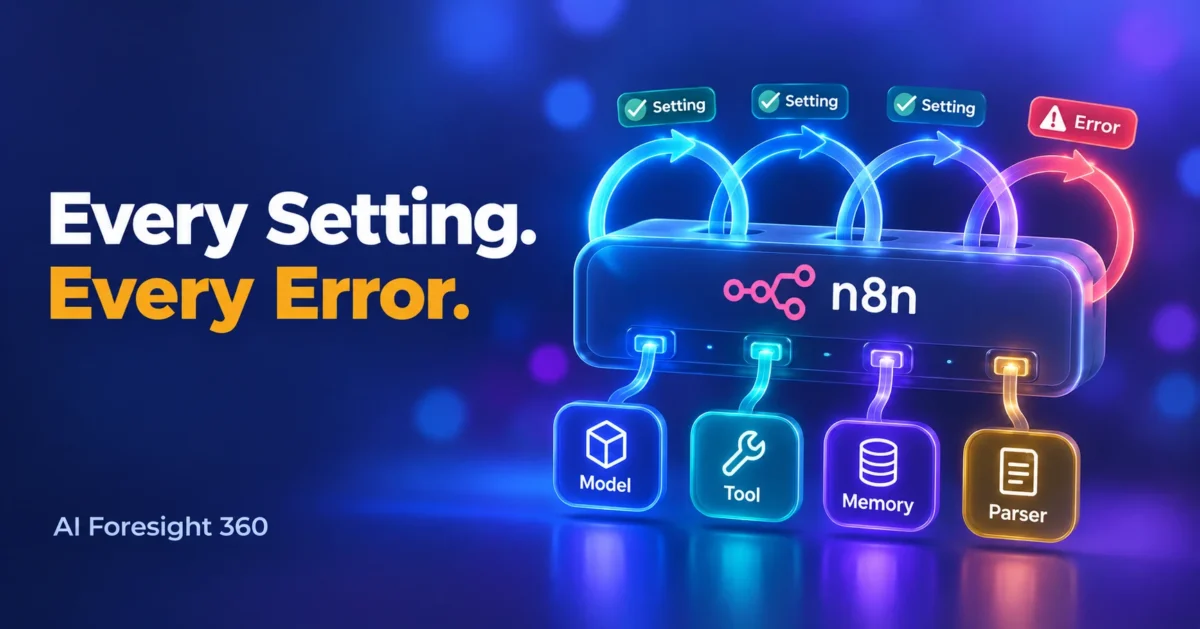
The n8n AI Agent node connects a chat model to one or more tools and lets the model decide which tools to call to complete a task. That single decision-making ability is what separates it from a Basic LLM Chain, which n8n’s own documentation says supports neither memory nor tools. This page is a reference rather than a tutorial. It covers every setting the node exposes, what each one actually changes in practice, and the errors people run into most, each traced to the official documentation or the GitHub issue behind it.
What is the n8n AI Agent node and what does it do?
It is n8n’s root node for building an agent. You attach a chat model, at least one tool, and optionally a memory store. The model then reads your prompt, picks tools, reads their responses, and decides whether it has enough information to answer or needs another round.
n8n’s Agent node documentation describes an agent as an autonomous system that receives data, makes decisions, and acts within its environment. The practical consequence is described in n8n’s explanation of what agents do: when you execute a workflow containing an agent, the agent runs multiple times, for example an initial setup run, a run to call a tool, then another run to evaluate the tool response and reply.
That loop is the source of almost every cost surprise and almost every error in this article. Keep it in mind.
One hard requirement is easy to miss. The documentation states that you must connect at least one tool sub-node to the node. If you only want a prompt in and text out, you want a chain, not an agent. If you are still deciding whether agents suit your workflow at all, start with what AI agents actually are before wiring anything.
Every setting in the n8n AI Agent node, in one table
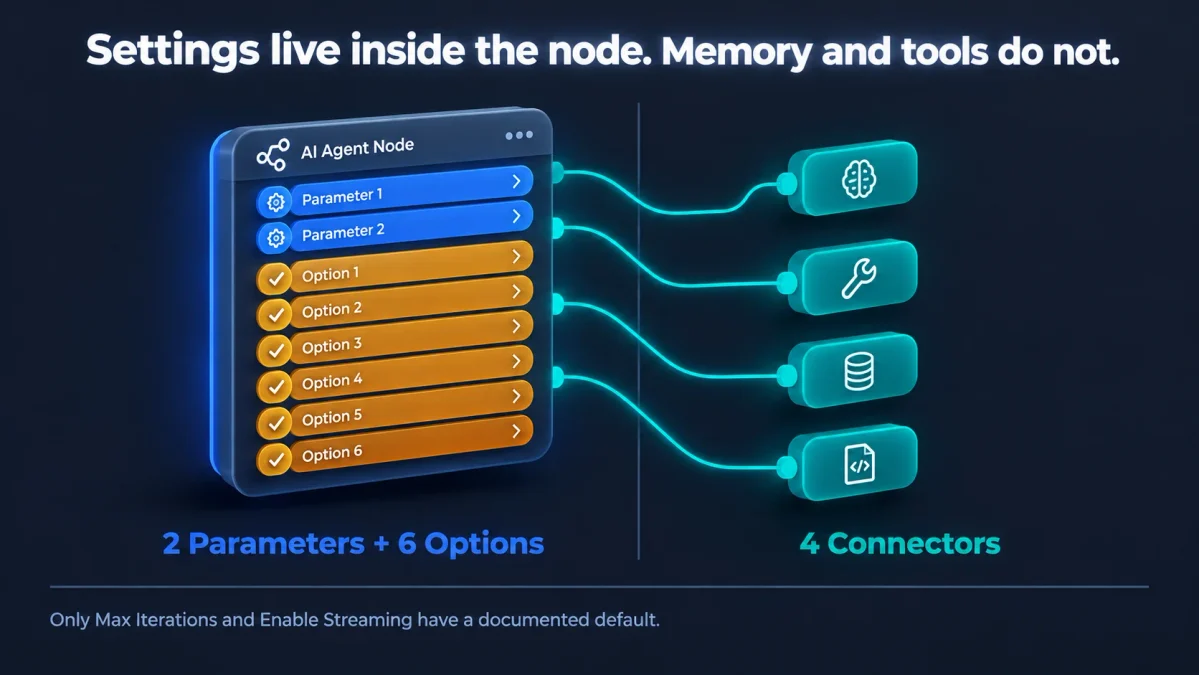
The node exposes two parameters and six options. Everything else you see on the canvas is a connector, not a setting. The table below lists each one with the default value that n8n’s documentation actually states. Where the documentation states no default, this table says so rather than guessing.
| Setting | Type | What it controls | Documented default |
|---|---|---|---|
| Prompt | Parameter | Whether the user message arrives automatically from a previous node in a field called chatInput, or is written by you in a Prompt (User Message) field | Not stated in the documentation |
| Require Specific Output Format | Parameter | Whether the node demands structured output. Turning it on prompts you to connect an Auto-fixing, Item List, or Structured Output Parser | Not stated in the documentation |
| System Message | Option | A message sent to the agent before the conversation starts, used to guide its decision-making | Not stated in the documentation |
| Max Iterations | Option | How many times the model runs while trying to produce a good answer | 10 |
| Return Intermediate Steps | Option | Whether the steps the agent took are included in the final output | Not stated in the documentation |
| Tracing Metadata | Option | Custom key-value metadata attached to tracing events, for filtering runs in tools like LangSmith. Entries with empty keys or values are ignored | Not stated in the documentation |
| Automatically Passthrough Binary Images | Option | Whether binary images are passed to the agent as image type messages | Not stated in the documentation |
| Enable Streaming | Option | Whether the answer streams back in real time as it is generated | Enabled |
The four connectors underneath the node are a separate matter, and confusing them with settings is the most common reason people cannot find “memory” in the options list.
| Connector | Required | Notes |
|---|---|---|
| Chat Model | Yes | The node throws an error if none is connected. Documented models include OpenAI, Groq, Mistral Cloud, Anthropic, and Azure OpenAI |
| Tool | Yes, at least one | The documentation is explicit that at least one tool sub-node must be connected |
| Memory | Optional | Agents can use memory. n8n’s chain nodes cannot, which is the main reason to choose an agent for conversational work |
| Output Parser | Only when Require Specific Output Format is on | Three parser types are available |
Full parameter definitions live in the Tools Agent documentation, which is the page most blog posts summarise without reading closely.
What each setting actually changes
Definitions are easy to find. What follows is the practical consequence of each one.
Prompt
Two choices. Take from previous node automatically expects an incoming field named chatInput, which is what the Chat Trigger produces. Define below lets you build the prompt yourself from static text or an expression. If your workflow starts from a webhook, a form, or a database record rather than a chat window, you almost always want Define below. Choosing the wrong one produces two of the documented errors further down this page.
Require Specific Output Format
Turn this on only when a downstream node needs predictable JSON. It changes the agent’s behaviour, not just its formatting: the Tools Agent passes the parser to the model as a formatting tool. That means the parser competes for the model’s attention alongside your real tools, and a strict schema on a weak model is a common cause of retry loops.
System Message
This is where agent behaviour is genuinely controlled. Tool selection rules, refusal rules, output tone, and what to do when a tool returns nothing all belong here. It is also billed on every iteration, so a 900 word system message is not free. Write it tightly.
Max Iterations
The documented default is 10. Each iteration is another model run, so this is simultaneously your safety limit and your cost ceiling. Lowering it does not make a confused agent smarter, it just makes it fail sooner and cheaper. Raising it rarely fixes a genuine tool problem, it just raises the bill before the same failure appears.
Return Intermediate Steps
Off by default in practice, and worth turning on the moment an agent misbehaves. It exposes which tools were called and in what order, which is the fastest way to tell the difference between a model that picked the wrong tool and a tool that returned bad data.
Tracing Metadata
Custom key-value pairs attached to tracing events, useful for filtering runs in an observability tool such as LangSmith. Entries with empty keys or values are ignored. If you run more than a handful of agent executions a day, tagging runs by customer or workflow stage pays for itself the first time something breaks in production.
Automatically Passthrough Binary Images
Controls whether binary images are forwarded to the agent as image type messages. Relevant only when your workflow handles uploads or attachments. Leaving it on with a model that has no vision capability wastes tokens on content the model cannot read.
Enable Streaming
Enabled by default. For streaming to work, the documentation is clear that the workflow must use a trigger that supports streaming responses, such as a Chat Trigger or a Webhook node with Response Mode set to Streaming. Enabling it on a workflow that ends in a database write or an email node achieves nothing.
The agent type setting is gone: what changed after n8n 1.82.0
Most guides still walk through choosing between a Conversational Agent, a ReAct Agent, and a Tools Agent. That choice no longer exists. n8n’s documentation states that the agent type setting is deprecated from version 1.82.0 and that all Agent nodes now work as a Tools Agent, which was previously the recommended setting.
Two consequences matter. First, the version 1 node that still carries the agent type setting will be removed in n8n 3.0, and the documentation advises updating to the latest version of the node. Second, if you followed an older tutorial that told you to select an SQL Agent, the documented replacement is a Postgres or MySQL tool sub-node attached to a recent Agent node. Any tutorial that still presents agent type as a live decision was written against a version that is on its way out.
Common n8n AI Agent node errors and what causes them
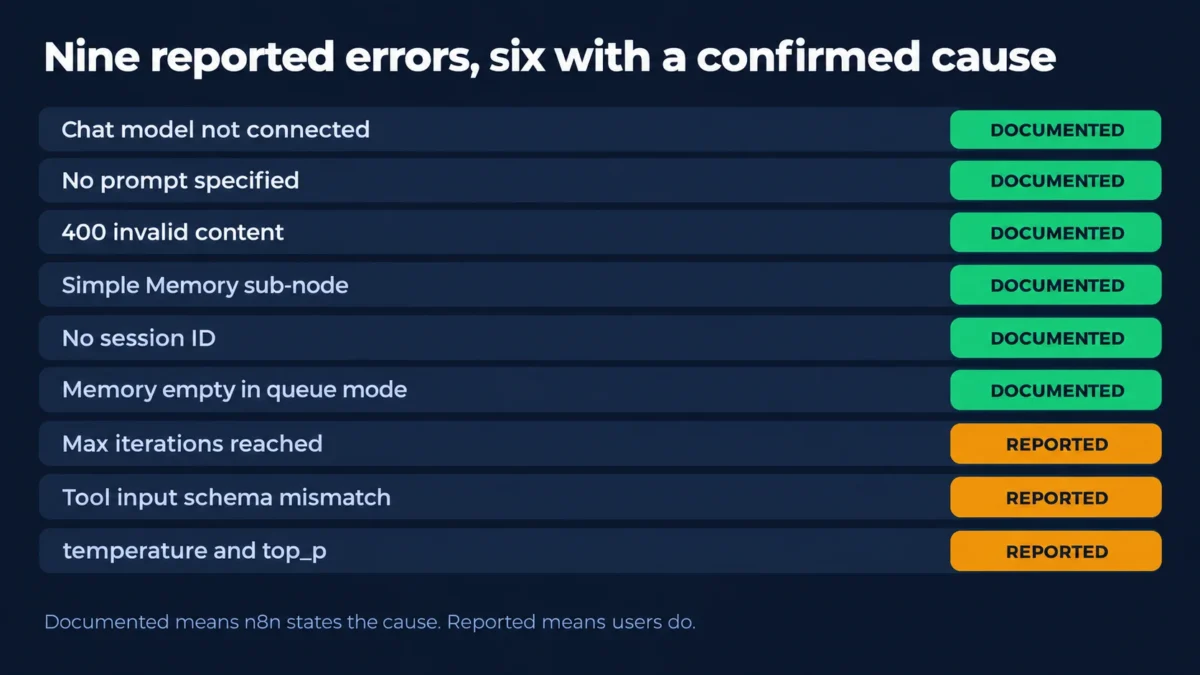
Four errors are documented officially with confirmed causes. The rest are drawn from GitHub issues and community forum threads, where the cause is sometimes agreed and sometimes not. Below, each entry states which situation applies rather than presenting a guess as a fix.
| Error text | Most likely cause | Evidence type |
|---|---|---|
| A Chat Model sub-node must be connected | No chat model attached | Official documentation |
| No prompt specified | Prompt set to expect a chat trigger that is not supplying input | Official documentation |
| Internal error: 400 Invalid value for ‘content’ | Prompt resolving to null | Official documentation |
| Error in sub-node Simple Memory | Outdated Simple Memory node from a copied template | Official documentation |
| No session ID found | Missing sessionId in the incoming data | Official documentation |
| Memory appears empty in production | Simple Memory used on an instance running in queue mode | Official documentation |
| Max iterations reached | Several competing causes, some unresolved | GitHub issues and forum reports |
| Received tool input did not match expected schema | Model producing tool arguments that fail schema validation | GitHub issues and forum reports |
| Bad request: temperature and top_p cannot both be specified | Both sampling parameters sent to Anthropic models | GitHub issue, closed with a linked fix |
A Chat Model sub-node must be connected
The official common issues page states this appears when n8n tries to execute the node with no chat model attached. The fix is to use the Chat Model button at the bottom of the open node, or the Chat Model connector when the node is closed, and pick a model.
No prompt specified
Documented as occurring when the agent expects the prompt to arrive automatically from a previous node, which typically happens with a Chat Trigger that is not delivering one. The documented resolution is to change the Prompt parameter from Connected Chat Trigger Node to Define below, then build the prompt from your own input data or static text.
Internal error: 400 Invalid value for ‘content’
The documentation gives the full message as an error stating that content was expected to be a string but was null, and attributes it to a null prompt input. Two scenarios are named. With Prompt set to Define below, an expression in the Text field is not resolving to a value. With Prompt set to Connected Chat Trigger Node, the incoming data contains nulls, and the documented fix is to remove null values from the chatInput field of the input node.
Error in sub-node Simple Memory
Documented as most often caused by a workflow or copied template using an older version of the Simple Memory node, previously called Window Buffer Memory. The documented resolution is blunt: delete the Simple Memory node and add it again, which guarantees the latest version.
No session ID found
The Simple Memory common issues page explains that sessionId is normally retrieved from the On Chat Message trigger. If you are not using that trigger, you have to manage sessions yourself, and for testing the documentation suggests a static key such as my_test_session. Forum threads show this surfacing constantly for people triggering agents from webhooks, including a thread on Simple Memory failing to isolate sessions, where the underlying problem is a session key that is either missing or shared across users.
The same page adds a detail that catches people out: if you add more than one Simple Memory node, all of them access the same memory instance by default unless you set different session IDs.
Memory that quietly does nothing in queue mode
This one produces no error at all, which makes it the most expensive item on this list. The Simple Memory documentation warns not to use the node if your instance runs in queue mode, because n8n cannot guarantee that every call reaches the same worker. Workflows built and tested on a single instance can therefore lose conversation history silently after the instance is scaled. If you run queue mode, use a database-backed memory node instead.
Max iterations reached
Two different messages exist depending on your version, which is why searching for one of them often returns nothing useful. Older builds return “Agent stopped due to max iterations”, the wording quoted in a community feature request asking n8n to handle the limit more gracefully. Newer builds return a longer message stating that the limit was reached and the agent could not complete the task within the allowed number of iterations.
The causes reported are genuinely varied, and no single official explanation covers them:
- The agent will not stop after a successful retrieval. Issue 18892 describes an agent that keeps looping through tool calls even after a vector store and reranker return relevant results, across several different models, ending every run at the iteration limit.
- A deactivated tool on the canvas. Issue 26356, filed in February 2026 against n8n 2.9.4, reports that deactivating one of several connected tools causes the agent to fail with the iteration limit even when no memory node is attached. The reporter spent two weeks isolating it. Worth knowing: n8n closed this issue as unable to reproduce, so treat it as a suspect to rule out rather than a confirmed defect.
- Too many tools at once. A long-running forum thread on agents getting stuck in loops reports the behaviour appearing once more than two tools are connected.
The practical diagnostic order is: turn on Return Intermediate Steps to see which tool the agent keeps calling, disconnect tools one at a time, then tighten the tool descriptions and the system message. Raising the iteration limit is the last thing to try, not the first.
Received tool input did not match expected schema
This is the most frequently reported agent error that has no documented cause. It means the arguments the model generated for a tool call failed validation against that tool’s schema.
Reports cluster around three situations. Issue 14399 reports it against both MCP tools and a plain HTTP Request tool. Issue 17241 describes it appearing randomly on n8n 1.97.1 even when the tool executed correctly, and even with no tools connected at all. Issue 13440 reports it alongside a Postgres memory store where the last human message was not saved. On the forum, one report ties it specifically to an HTTP Request tool with “Let Model Specify Entire Body” enabled.
The pattern across reports is that the wider the freedom given to the model to invent a tool payload, the more often validation fails. n8n’s guidance on letting the model fill in tool parameters notes that the arguments to $fromAI() are hints rather than references to existing values, which is exactly why a vague key or a missing description gives the model too much room. Narrowing schemas, describing each field, and avoiding whole-body generation are the reported mitigations. None of them is confirmed by n8n as a fix.
Bad request: temperature and top_p cannot both be specified
Issue 18304 reports the AI Agent failing with Anthropic models because both temperature and top_p were sent, which Anthropic’s API rejects. It was filed against n8n 1.106.3 and has since been closed with a linked pull request, so it should be resolved on current versions. If you see it, your instance is behind.
Max iterations reaching the success output instead of the error output
Worth knowing if you build error handling around agents. Issue 22771 reports that hitting the iteration limit with On Error set to continue using the error output routed execution down the success branch instead. It was filed against n8n 1.122.5 and closed with linked pull requests. If you are on an older version, do not assume your error branch will catch a runaway agent.
How token cost scales with iterations and memory
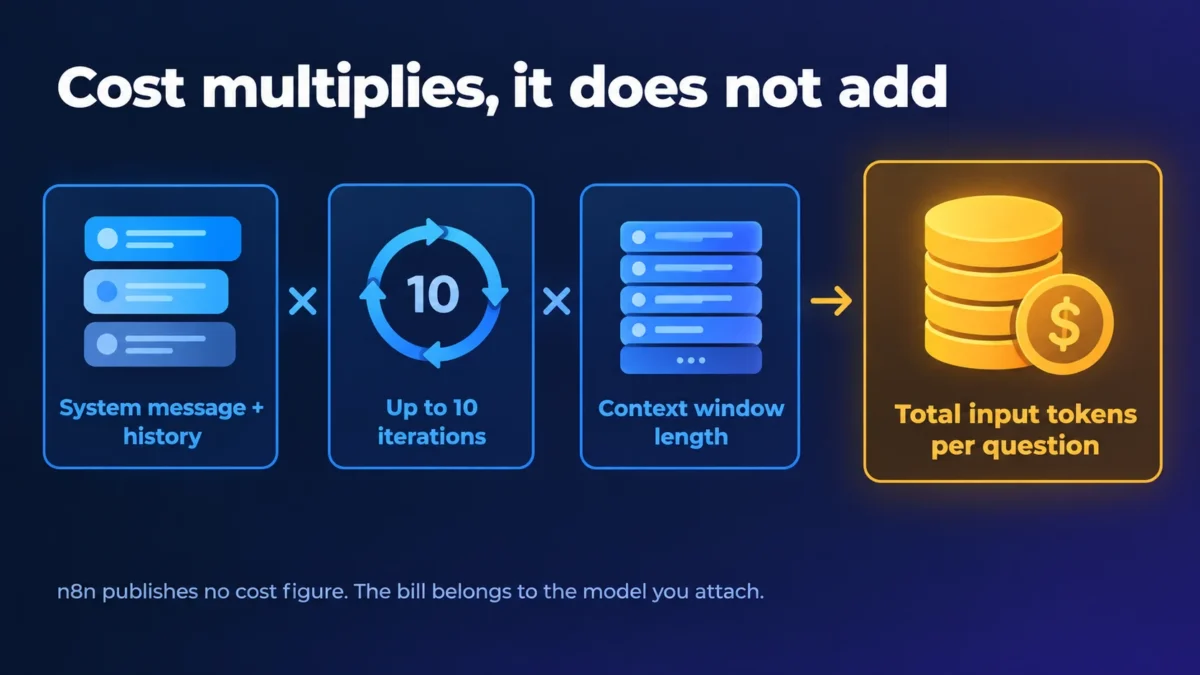
Cost does not scale with the length of your prompt. It scales with the number of model runs, because the agent runs multiple times within a single execution and each run is a separate call carrying the system message, the conversation history, and the tool definitions.
Two settings multiply that. Max Iterations sets how many runs are possible, with a documented default of 10. Context Window Length on the memory node sets how many previous interactions are included in each of those runs. A ten iteration ceiling combined with a fifty message memory window means the model can be sent a large amount of repeated context ten times over for one user question.
n8n publishes no cost figure for the node, and it cannot, because the price depends entirely on the model you attach and that provider’s per token rate. Anyone quoting a per run cost for the node itself is inventing it. What you can control is the multiplier: cap iterations at what the task genuinely needs, keep the memory window short, trim the system message, and for high volume internal workloads consider running models locally to cut token costs instead of paying per call.
For finance and operations teams costing this out before rollout, the wider budgeting picture sits alongside the rest of our AI guides and tutorials.
When to use this node and when a simple chain is enough
Use an agent when the workflow cannot know in advance which tool is needed, or when a conversation has to remember what came before. Use a chain when the sequence is fixed. n8n’s documentation is direct about the difference: none of the chain nodes support memory, so if you need memory, use an agent.
A Basic LLM Chain is the better choice for summarising a document, classifying a support ticket, translating text, reformatting a record, or extracting fields from an email. These are single-pass tasks. Putting an agent on them adds iterations, tool descriptions, and failure modes in exchange for nothing.
An agent earns its complexity when the model must choose between a calendar lookup, a CRM search, and a database write depending on what the user asked. That is also the point at which permissions matter, because a tool the agent can call is a tool the agent can call wrongly. Before connecting anything that writes data, read up on the security risks of running agents, and if you are scoping a first deployment, our guide to AI agents for small business covers where the value usually lands first.
Frequently asked questions
What is the n8n AI Agent node?
It is the root node in n8n for building an AI agent. You connect a chat model and at least one tool, and the model decides which tools to call to complete the task. Unlike n8n’s chain nodes, it can also use a memory sub-node to hold conversation history.
How many iterations should max iterations be set to?
The documented default is 10, and n8n publishes no recommended value beyond that. In practice, set it to slightly more than the number of tool calls the task genuinely requires. A two tool lookup does not need ten iterations, and raising the limit on a looping agent increases cost without addressing the cause.
Why does my n8n agent loop?
Reported causes include the agent failing to stop after retrieving valid results, a deactivated tool sitting on the canvas, and too many connected tools with overlapping descriptions. No single official cause is documented. Turn on Return Intermediate Steps first, then remove tools one at a time to isolate it.
Does the AI Agent node need memory?
No. Memory is an optional connector, not a required one. You need it only when the agent must remember earlier turns in a conversation. If your instance runs in queue mode, the documentation warns against Simple Memory specifically, because calls are not guaranteed to reach the same worker.
Is the AI Agent node free to use?
The node itself carries no separate charge and n8n’s Community Edition is free to self-host. The cost sits with the chat model you attach, billed by that provider per token, multiplied by the number of iterations each execution runs.
What this article is based on
This n8n AI Agent node reference was built from two source types only. Parameter behaviour, defaults, and documented errors come from n8n’s official documentation pages for the AI Agent node, the Tools Agent, the agent common issues page, the Simple Memory node and its common issues page, and n8n’s explanations of agents and chains. Reported errors come from named GitHub issues in the n8n repository and named threads on the n8n community forum, each linked at the point it is cited.
The workflows described here were not built or run in house. Nothing on this page is presented as the result of first-hand testing, and where the community disagrees or an issue was closed without a confirmed cause, the article says so rather than picking a side. All sources were checked on 12 September 2026. Because n8n ships frequently, verify version-specific behaviour against your own build before relying on it.
Written by Ahmad Hussain, ACCA.
Building agent workflows for a finance or operations team and want the cost and control side thought through properly? Browse the rest of our automation coverage in the AI Insights Hub, or get in touch if you need a workflow reviewed before it touches live data.

Ahmad Hussain
ACCAAhmad builds advanced Excel models, Power BI dashboards, and AI automation for businesses. He writes AI Foresight 360 himself, and every pricing figure and feature claim is verified against official documentation at the source.
Connect on LinkedIn