Intuit has spent the past year putting AI agents inside QuickBooks, and the marketing sounds almost too good: bookkeeping that categorizes itself, payroll that runs from a text message, and monthly financials that arrive ready for review. This Intuit AI agents review for small business owners cuts through that marketing. We break down what each agent actually does, which QuickBooks plan you need for it, what it costs in 2026, and where the limitations sit that Intuit’s own pages rarely highlight.
A quick note on methodology before we start. This review is based on Intuit’s official documentation and help center specifications, its published fine print, verified user reviews, and reporting from accounting industry publications. It is an independent analysis, not a sponsored walkthrough, and where Intuit’s performance claims come from Intuit’s own internal data, we say so.
Intuit AI Agents Review for Small Business: The Verdict at a Glance
The short answer: the agents are genuinely useful, but they are assistants, not replacements. They shine at repetitive, pattern based work such as transaction categorization, reconciliation matching, and payroll data collection. They still require human review on everything that touches your tax return or your financial statements, and the best agents are locked behind the more expensive QuickBooks plans.
| Question | Our Assessment |
|---|---|
| Do the agents actually work? | Yes, for routine bookkeeping and admin tasks, with review |
| Do they replace a bookkeeper? | No, and Intuit itself keeps humans in the approval loop |
| Are they worth the subscription? | Yes on Essentials and above if you use QuickBooks daily |
| Biggest strength | Automated categorization, matching and anomaly detection |
| Biggest weakness | Best agents require Plus or Advanced plans, and outputs need checking |
If you are new to the concept of agentic AI in general, our guide on what AI agents are and how they work explains the difference between a chatbot that answers questions and an agent that takes actions. That difference is exactly what Intuit is selling here.
What Are Intuit AI Agents?
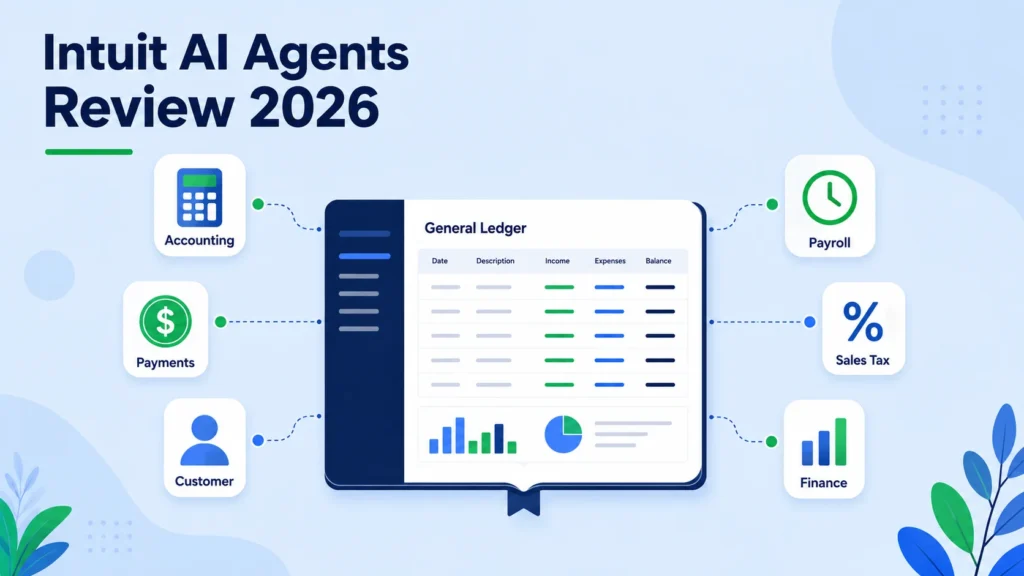
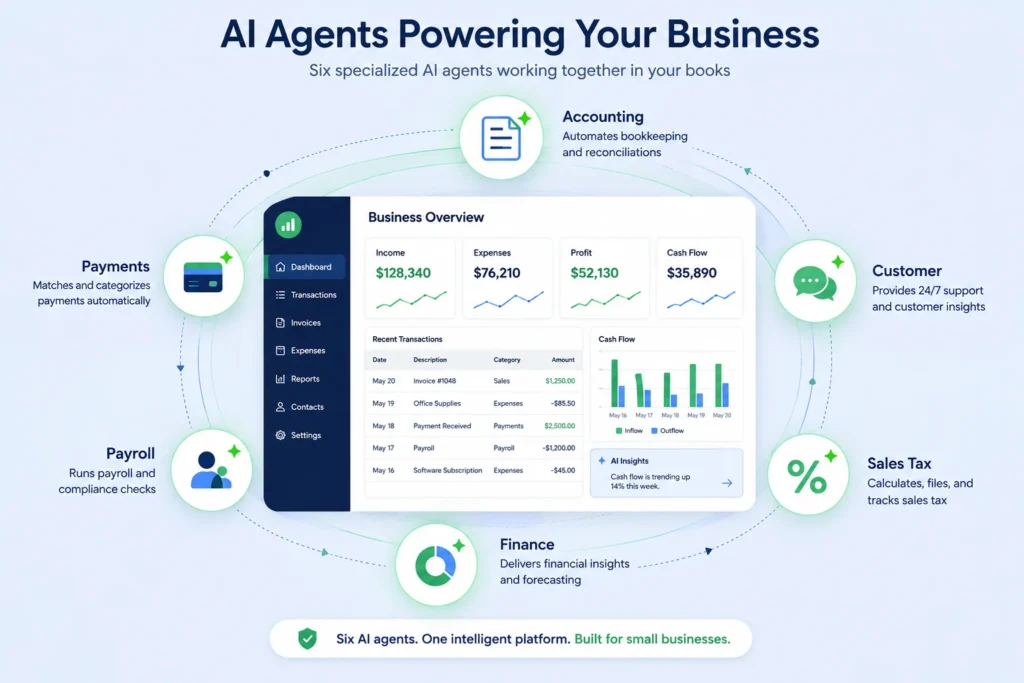
Intuit AI agents are task specific automations built into QuickBooks Online and Intuit Enterprise Suite. Each agent focuses on one job, such as bookkeeping, payments, payroll, or sales tax, and works in the background while you use the product. They connect through Intuit Intelligence, a conversational layer that lets you ask questions about your finances and delegate tasks to the relevant agent.
The rollout began with the redesigned QuickBooks Online experience in mid 2025, and according to Intuit’s own AI accounting overview, the agents follow a consistent philosophy: the AI drafts, suggests, and flags, while you review and approve. Intuit reports that more than 3 million customers have used its AI powered tools since the launch, which makes this one of the largest real world deployments of agentic AI in small business software.
The current lineup for small businesses includes seven agents:
- Accounting Agent
- Payments Agent
- Customer Agent
- Payroll Agent
- Sales Tax Agent
- Finance Agent
- Business Tax Agent (beta)
A Project Management Agent also exists, but it is aimed primarily at Intuit Enterprise Suite customers running project based businesses, so most small QuickBooks Online users will not encounter it.
Which Agent Comes With Which QuickBooks Plan
This is the single most important table in this review, because Intuit’s marketing pages tend to present the agents as one big happy family. In reality, access depends entirely on your subscription tier, as documented in Intuit’s product update for accountants.
| AI Agent | What It Does | Minimum Plan Required |
|---|---|---|
| Accounting Agent | Categorizes transactions, matches bank feeds, detects anomalies, speeds up reconciliation | Essentials |
| Payments Agent | Suggests the best payment methods on invoices to help you get paid faster | Essentials |
| Payroll Agent | Collects employee hours, flags inconsistencies, sends a ready to approve payroll draft | Essentials, plus a QuickBooks Payroll subscription |
| Customer Agent | Finds leads in your email inbox and drafts follow up messages for your review | Plus |
| Sales Tax Agent | Categorizes products for sales tax and reviews your return for errors before filing | Plus |
| Finance Agent | KPI tracking, forecasting, scenario modeling, and board ready monthly summaries | Advanced |
| Business Tax Agent | Suggests potentially overlooked deductions based on your industry and books | Beta, limited availability |
Notice the pattern. The entry level Simple Start plan gets almost none of the headline agents. The most impressive agent, Finance, sits exclusively on the most expensive plan, and it is not available at all if you have multi currency enabled.
Agent by Agent Breakdown
Accounting Agent: The Workhorse
The Accounting Agent is the one most small businesses will actually feel. According to Intuit’s official feature documentation, it groups transactions it is highly confident about into a Ready to Post queue, auto matches payroll and bill payments handled inside the Intuit ecosystem, verifies that uploaded receipts match transactions, and remembers your categorization rules through a policy memory feature.
For businesses on Plus and above, it also runs anomaly detection on your Profit and Loss and Balance Sheet reports, surfacing duplicates, miscategorizations, and unusual balances with explanations of which transactions caused them.
Intuit claims customers reconcile accounts nearly 3 times faster with AI powered reconciliation. That figure comes from Intuit’s internal data comparing opted in customers against non opted in customers, so treat it as directional rather than independently verified. Accounting professionals who have written about the agent consistently land on the same conclusion we do: it saves real time on routine work, but every suggestion that affects your books still deserves a human glance, especially before closing a period.
Payments Agent: Small but Useful
The Payments Agent is narrower. When you create or edit an invoice, it suggests payment options tailored to each customer, such as card, ACH, or digital wallets, with the goal of getting you paid faster. It is a convenience feature rather than a transformation, and its value depends on how much of your revenue flows through QuickBooks invoicing. If you invoice heavily, small friction reductions compound. If you rarely invoice, you will barely notice it.
Customer Agent: A Light CRM Inside Your Inbox
The Customer Agent scans your connected email inbox for potential leads and drafts personalized follow ups that you edit and send. For a solo consultant or a service business without a CRM, this is genuinely handy. For anyone already running a dedicated CRM, it duplicates functionality you have elsewhere. It requires the Plus plan, which is a strange placement for a sales feature that arguably helps the smallest businesses most.
Payroll Agent: The Sleeper Hit
The Payroll Agent may be the most quietly impressive of the lineup. It proactively collects time and attendance data directly from employees, spots inconsistencies, and sends the administrator a ready to approve payroll draft, even by text message. For an owner who dreads payroll day, that is a real workload shift.
The catch is cost stacking. You need Essentials or above, plus a separate QuickBooks Payroll subscription, which starts at roughly 50 dollars per month plus about 6 dollars per employee. The agent itself adds no extra fee, but the total monthly bill for a five person team lands well above what the headline QuickBooks price suggests.
Sales Tax Agent: Compliance Guardrails
The Sales Tax Agent helps categorize your products and services correctly for tax purposes and reviews your sales tax return for errors before you file. For product sellers operating across multiple states, this addresses one of the most anxiety inducing parts of small business compliance. It requires Plus, which is consistent with the fact that product businesses generally need Plus for inventory anyway.
Finance Agent: Impressive, Exclusive, and Restricted
The Finance Agent delivers monthly board ready financial summaries, KPI tracking, forecasting, and scenario modeling. Functionally, it behaves like a junior financial analyst reviewing your numbers every month. The problem is access. It requires the Advanced plan at 275 dollars per month, and per Intuit’s own fine print for accountants, it is not available to customers with multi currency enabled, which excludes many businesses that trade internationally.
Business Tax Agent: Promising Beta
Still in beta, the Business Tax Agent generates a personalized list of potentially overlooked deductions based on your industry, location, and books, and helps you add eligible deductions directly. Deduction discovery is exactly the kind of pattern matching AI does well, but because it is beta software touching your tax position, this is the agent where professional review matters most. Availability is limited and features may change.
QuickBooks AI Pricing in 2026: What You Actually Pay
There is no separate price for the AI agents. They are included with qualifying QuickBooks Online subscriptions, which means the real question is which plan you need. Here is US pricing as verified in July 2026. Intuit adjusts pricing periodically, so confirm current rates on the official QuickBooks AI page before subscribing.
| Plan | Monthly Price (US) | AI Agents Included |
|---|---|---|
| Solopreneur | 20 dollars | Basic AI features only, no headline agents |
| Simple Start | 38 dollars | Basic AI features only, no headline agents |
| Essentials | 75 dollars | Accounting, Payments, Payroll (with Payroll subscription) |
| Plus | 115 dollars | Everything above, plus Customer and Sales Tax |
| Advanced | 275 dollars | Everything above, plus Finance |
Two pricing notes worth knowing. First, new customers typically choose between a 30 day free trial or 50 percent off for the first three months, not both. Second, remember the payroll stack: QuickBooks Payroll is a separate subscription, so the Payroll Agent’s true cost includes that add on.
For context on how this compares to standalone tools, our roundup of the best AI bookkeeping agents for small business covers alternatives that work outside the Intuit ecosystem.
Intuit’s Claims vs Reality
Intuit’s marketing includes some striking numbers: reconciling nearly 3 times faster, 69 percent less work setting up projects, and 56 percent of customers reporting better decisions in less time. Every one of these comes from Intuit’s internal data or Intuit commissioned surveys. None are independent benchmarks. That does not make them false, but a careful buyer should weight them accordingly.
Independent user feedback in 2026 is more mixed than the marketing. Reviewers on platforms like G2 praise the direction while criticizing execution, with recurring complaints that the new AI driven layout disrupts familiar workflows and that frequent updates have destabilized features long time users relied on. If your team has years of muscle memory in classic QuickBooks Online, expect an adjustment period.
There are also documented limitations that deserve more visibility than they get:
- Agent outputs are English only, even in regions where QuickBooks supports other languages, and Intuit explicitly recommends reviewing all outputs carefully.
- The Finance Agent does not work with multi currency enabled.
- The agents perform best with clean, consistent historical data. If your chart of accounts is messy, the AI learns your mess.
- Every consequential action is draft and approve by design. That is a safety feature, but it means the time savings are real only if reviewing drafts is faster than doing the work, which is usually true for categorization and usually still significant for payroll.
Who Should Use Intuit AI Agents
Different business sizes get very different value from this lineup.
Solo operators and freelancers on Solopreneur or Simple Start get little of the agent story and should not upgrade for the AI alone unless bookkeeping volume genuinely justifies Essentials.
Service businesses with 2 to 15 employees are the sweet spot. Essentials or Plus unlocks the Accounting and Payroll Agents, which target exactly the admin work that eats owner evenings. If you already pay for QuickBooks Payroll, the Payroll Agent alone can justify staying in the ecosystem.
Product and inventory businesses generally need Plus regardless, so the Sales Tax and Customer Agents arrive essentially free with a plan you were buying anyway. That is the best value case in the entire lineup.
Growing businesses approaching the mid market will find the Finance Agent legitimately useful for monthly reporting and forecasting, provided the 275 dollar Advanced price and the single currency restriction are acceptable.
Accountants and bookkeepers should note that Intuit is consolidating professional tools into the new Intuit Accountant Suite, with QuickBooks Online Accountant scheduled to sunset at the end of 2026, so evaluating the agents now is also preparation for that transition. If you are weighing general AI assistants alongside these built in agents, our comparison of ChatGPT vs Claude for accountants covers where a general model beats an embedded agent and where it does not.
Who Should Skip Them
Skip or wait if any of these describe you:
- You run multi currency books and wanted the Finance Agent, which currently excludes you.
- Your books are disorganized. Fix the chart of accounts first, because AI trained on bad categorization amplifies it.
- You need non English outputs for your team.
- You are happy on a legacy plan and the AI features would force an upgrade you otherwise do not need.
- You want AI that files, pays, or posts without review. That product does not exist here, and given the stakes, it should not.
Pros and Cons
| Pros | Cons |
|---|---|
| Agents are included in the subscription with no separate AI fee | The most capable agents require Plus or Advanced plans |
| Genuinely reduces routine categorization and reconciliation work | Performance claims come from Intuit’s internal data, not independent tests |
| Payroll Agent meaningfully cuts payroll prep | Payroll Agent requires a separate QuickBooks Payroll subscription |
| Human review is built into every consequential action | New AI driven layout frustrates long time users |
| Anomaly detection catches errors before month end close | English only outputs, and Finance Agent excludes multi currency |
| Deep integration with data already living in QuickBooks | Locked to the Intuit ecosystem, with limited value if you invoice or pay elsewhere |
Alternatives Worth Considering
If the plan requirements or ecosystem lock in give you pause, three directions are worth exploring. Standalone AI bookkeeping tools can automate categorization on top of whatever accounting software you use, and we compare the leading options in our guide to the best AI bookkeeping agents for small business. General AI assistants paired with good prompting can handle analysis, memo drafting, and reconciliation logic, and our library of ChatGPT prompts for accountants shows how much of this work a general model covers for a fraction of the cost. Finally, competing accounting platforms are shipping their own AI features, so if you are not yet committed to QuickBooks, compare before you commit.
FAQ
Are Intuit AI agents free with QuickBooks?
There is no separate charge for the agents themselves, but each agent requires a minimum QuickBooks Online plan. Accounting, Payments, and Payroll Agents start at Essentials, Customer and Sales Tax at Plus, and the Finance Agent requires Advanced. The Payroll Agent also requires a QuickBooks Payroll subscription.
Can Intuit AI agents replace my bookkeeper?
No. The agents automate routine work such as categorization, matching, and data collection, but Intuit’s own design keeps every consequential action in a draft and approve workflow. Think of them as reducing your bookkeeper’s grunt work, not replacing their judgment on anything that touches taxes or financial statements.
How accurate is the QuickBooks Accounting Agent?
Intuit has not published independent accuracy benchmarks. Its claim of reconciling nearly 3 times faster comes from internal comparisons of its own customers. Accuracy in practice depends heavily on the cleanliness of your historical data, since the agent learns from your past categorizations, and Intuit recommends reviewing all outputs.
Which QuickBooks plan is best for AI features in 2026?
Plus at 115 dollars per month offers the strongest balance for most small businesses, unlocking the Accounting, Payments, Payroll, Customer, and Sales Tax Agents along with full anomaly detection. Advanced adds the Finance Agent, which mainly benefits larger businesses that need forecasting and monthly board style reporting.
Do the AI agents work outside the United States?
The agents are rolling out across QuickBooks supported regions, but outputs are currently English only, and Intuit notes that accounts containing data in other languages may see limitations. The Finance Agent is also unavailable when multi currency is enabled, which affects many international businesses.
Final Verdict: Useful Assistants, Honest Expectations
Intuit’s AI agents are the most substantial AI upgrade QuickBooks has ever shipped, and for businesses on Essentials and above, they deliver real time savings on the work owners resent most. They are not magic, the flashiest capabilities sit on the priciest plans, and everything they produce needs your eyes before it becomes official. Judged as assistants rather than replacements, they earn a genuine recommendation, with the strongest value landing on Plus subscribers and payroll heavy teams.
If your business is at the stage where AI is handling the bookkeeping but you still lack clear visibility into performance, that is usually a reporting problem rather than a software problem. Alongside this publication, AI Foresight 360 builds Power BI dashboards, financial reporting models, and cash flow and budget vs actual reporting for small businesses, so get in touch if you want your clean QuickBooks data turned into decisions. And for more independent, hands on analysis of the tools reshaping business software, explore our latest AI tool reviews or browse everything in the AI Insights Hub.

Ahmad Hussain
ACCAAhmad builds advanced Excel models, Power BI dashboards, and AI automation for businesses. He writes AI Foresight 360 himself, and every pricing figure and feature claim is verified against official documentation at the source.
Connect on LinkedIn