

This AI prompts library brings together 410 free, copy and paste prompts in seven collections: finance and month end close, accounting, HR, college study, Google Sheets, infographics and product video. Every prompt uses square brackets for the details you swap in, so you can paste it into ChatGPT, Claude or Gemini in seconds.
What makes this library different is the label on every collection. Most prompt lists online call everything “tested” when nobody ran a single prompt. Here, each set tells you exactly how it was checked: run and shown with real output, built from the vendor’s official documentation, or written as a template for you to adapt. You always know what you are getting before you paste.
Find the right prompt collection in 30 seconds
Pick the collection that matches the job in front of you. Finance teams start with the month end close set, spreadsheet users with Gemini for Sheets, and marketers with the image and video sets. Each card shows the tool the set is written for, how many prompts it has, and how it was checked.
50 Claude Prompts for Month End Close and FP&A
Flux analysis, accruals, reconciliations and forecasts, with a free practice workbook.
Run and shown Open collection100 ChatGPT Prompts for Accountants
Financial statement review, audit planning, tax research and client emails.
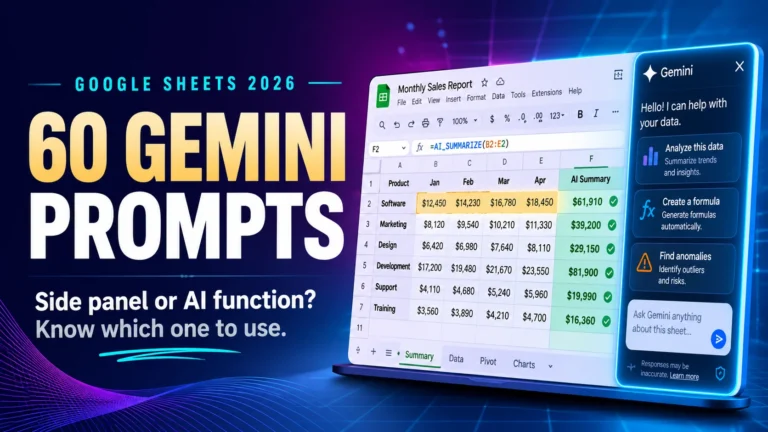
Template prompts Open collection60 Gemini Prompts for Google Sheets
Formulas, data cleanup and analysis in the side panel and the AI function.
Built from official docs Open collection80 ChatGPT Prompts for College Students
Essay planning, thesis testing, revision and exam preparation.
Template prompts Open collection50 ChatGPT Prompts for HR Professionals
Job descriptions, onboarding, reviews, policies and offboarding.
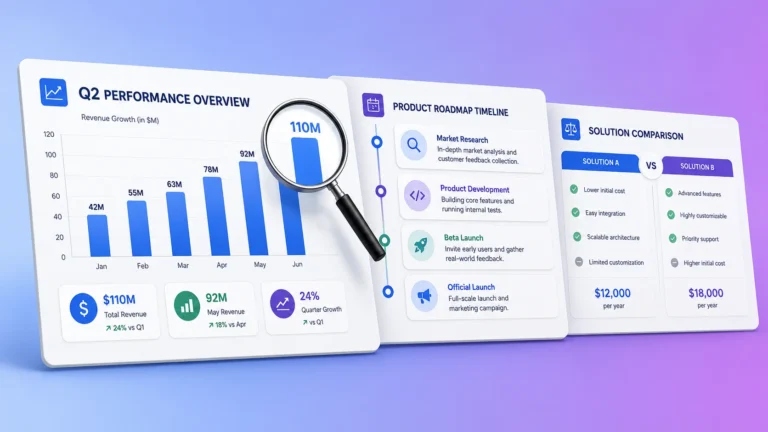
Template prompts Open collection40 Nano Banana 2 Infographic Prompts
Charts, timelines, comparison tables and stats cards, with five real outputs.
5 run and shown Open collection30 Veo 3.1 Prompts for Product Videos
Product reveals, demos, testimonials and vertical social hooks.
Built from official docs Open collectionHow every collection is labelled
Each set carries one of three labels, so you know how far to trust it before you use it. “Run and shown” means we ran prompts and published the real output. “Built from official documentation” means the prompts follow the vendor’s own rules and limits. “Template prompts” are structured starting points for you to adapt.
Run and shown. We ran prompts in the real tool and published what came back, including the mistakes. In the month end close set, one prompt was run on Claude Sonnet 5.5 against a practice workbook, and every figure in the answer was checked by hand. In the infographic set, five prompts were run and the images are shown, including one where the model invented market data that was never supplied.
Built from official documentation. Image and video models charge per generation and change behavior between releases, so these prompts are built from the vendor’s published prompt structure, parameter tables and limits. They follow the rules the model is documented to obey, but they were not each generated in a controlled test.
Template prompts. These are structured templates: a role, a task, the details to fill in and the format you want back. They are a strong starting point, but always read the first answer carefully and adjust the prompt for your own case.
The difference matters. A prompt that worked once in our test can still give you a different answer tomorrow, because AI models change and your data is not our data. Treat every prompt as a well built first draft, not a guarantee.
Prompts for finance and accounting work
Finance is the largest part of this library, with 150 prompts across two collections. The Claude set walks through a full month end close against real workbook data, while the ChatGPT set covers day to day accounting tasks from financial statement review to client emails. Both are built around one rule: give the model real figures, not vague questions.
50 Claude prompts for month end close and FP&A
This collection follows a close from start to finish: preparing the books, flux analysis, accruals and prepaids, receivables and revenue, payables, the bank reconciliation, payroll and utilization, budget versus actual commentary, forecasting and the final review. Each prompt names the data it needs and the check you should run on the answer.
It comes with a free practice workbook for a fictional services firm, with planted errors and an answer sheet, so you can see whether Claude catches them before you trust it with real books.
Try one now. The opening of the trend comparison prompt:
Act as an FP&A manager reviewing whether September 2026 results are unusual or normal for this time of year. I have attached the Trial Balance and the 12 Month P&L for a professional services firm.
Task: compare September 2026 with September 2025 and with the trend over the last 12 months.
Read the full set: 50 Claude prompts for month end close and FP&A.
100 ChatGPT prompts for accountants
This collection is organized by accounting function, from financial statement analysis and audit work to tax research, client communication and practice management. Each prompt sets a role, gives the model the context it needs, and states the output format.
Try one now:
You are a senior CPA preparing a financial health memo. Using the balance sheet below for a [business type] company, calculate the current ratio, quick ratio, and debt-to-equity ratio. Explain what each ratio means for this business's liquidity and solvency position in plain English. Flag any areas of concern. Output: 3 labeled sections, no more than 150 words each.Read the full set: 100 ChatGPT prompts for accountants. If you are choosing between models for finance work, our ChatGPT vs Claude comparison for accountants looks at the same tasks in both.
Check the numbers yourself. AI can make arithmetic mistakes that look confident. When a prompt returns a margin, a growth rate or a break-even figure, check it with our free finance calculators, which show every step of the working.
Prompts for HR teams and students
HR and study prompts work best when they ask for a defined structure, a tone and a length. Without those, HR documents read like generic templates and study answers turn into walls of text. Both collections are built so the AI helps you think and draft, while the final judgment stays with you.
50 ChatGPT prompts for HR
These prompts follow the employee lifecycle: recruiting, onboarding, performance, policy, engagement, analytics and offboarding. Each one uses the same formula of task, context, tone, format and audience.
Try one now:
Write a job description for a [job title] at [company name], a [industry] company with [team size] employees. Include a short intro about the role's impact, 5 to 6 responsibilities, 4 must-have qualifications, and 2 nice-to-haves. Tone: [confident / friendly / formal].Read the full set: 50 ChatGPT prompts for HR professionals.
80 ChatGPT prompts for college students
These prompts cover the work that fills a semester: narrowing an essay topic, testing a thesis, turning lecture notes into revision questions, explaining hard concepts and preparing for exams. Prompts that write a full essay were left out on purpose. The goal is to help you think, not to hand in the model’s work.
Try one now:
Here is my thesis: [paste thesis]. List the three strongest counterarguments a skeptical professor would raise, and for each, note what evidence I would need to answer it.Read the full set: 80 ChatGPT prompts for college students.
Prompts for spreadsheets, images and video
Spreadsheet, image and video prompts follow different rules from writing prompts. A spreadsheet prompt must describe the shape of your data, an image prompt must describe the layout, and a video prompt must direct a shot and its sound. Each of these three collections is written for one specific Google tool.
60 Gemini prompts for Google Sheets
Gemini works in two places inside Sheets: the side panel, which builds and edits whole sheets, and the AI function, which runs a prompt inside a single cell. Each prompt in this set is matched to the right place and tells you what it is designed to return.
Try one now:
Column [H] is showing #REF errors after I deleted rows. Explain the cause and rebuild the formula so it survives row deletion.Read the full set: 60 Gemini prompts for Google Sheets.
40 Nano Banana 2 infographic prompts
These prompts produce charts, timelines, comparison tables, process flows and stats cards. The most important rule in this set: paste your own figures and tell the model not to add any. In one of our test runs, the model filled a chart with market data that was never supplied.
Try one now:
Create a 16:9 infographic with a horizontal bar chart using exactly these figures and no others: [PASTE YOUR DATA]. One bold headline at the top, clean modern flat design, a single accent color with grey supporting bars, value labels at the end of each bar, and a source line at the bottom reading [YOUR SOURCE]. Legible sans serif text. Do not add or estimate any figures.Read the full set: 40 Nano Banana 2 infographic prompts.
30 Veo 3.1 prompts for product videos
These prompts are written as shot instructions: one camera move, one action, a lighting mood and an audio line. Veo 3.1 generates sound with every clip, so a prompt that says nothing about audio gets a soundtrack the model chooses for you.
Try one now:
Macro close up of [PRODUCT] rotating slowly against a seamless white background. Bright even studio lighting, no visible shadows, clinical product photography style. The camera holds steady as the label passes through frame. Audio: quiet room tone and one soft whoosh on rotation. No music.Read the full set: 30 Veo 3.1 prompts for product videos. Still choosing a video model? Our guide to the best AI video generators compares the main options.
Which AI tool should you use these prompts in?
Use the tool each collection was written for when you can. Most text prompts in this AI prompts library also work in ChatGPT, Claude and Gemini with little or no change, but prompts that depend on file uploads, spreadsheets or image and video generation are tied to one tool and do not transfer.
| Prompt type | Works across tools? | What to watch |
|---|---|---|
| Writing, HR and study prompts | Yes, in ChatGPT, Claude or Gemini | Results differ in tone and length, so adjust the format line |
| Finance prompts with attached files | Mostly | The tool must be able to read your file, and free plans may limit uploads |
| Google Sheets prompts | No, Gemini in Sheets only | Some Gemini features need a paid Google Workspace plan |
| Image and video prompts | No, model specific | Settings and limits differ between models |
For a closer look at the main assistants, see our ChatGPT review and our Claude for Excel review, both based on real tests.
How to write a prompt that actually works
A good prompt has five parts: a role, the real material, one clear task, the output format, and a check. Give the model all five and you get a usable first answer far more often. The vendors’ own guides from OpenAI, Anthropic and Google make the same core points: be clear, give context, and say what you want back.
| Part | What it does | Example |
|---|---|---|
| Role | Sets the expertise and tone | “Act as an FP&A manager” |
| Material | Gives the model real facts instead of letting it guess | “Here is the September P&L: [paste]” |
| Task | One clear job | “Explain the three biggest variances” |
| Format | Controls length and shape | “A table, then three bullet points” |
| Check | Makes the answer easier to verify | “Show every number you use” |
Before:
Explain my variances.After:
Act as an FP&A manager. Here is our September budget and actual P&L: [paste]. Explain the three largest variances in plain English, one or two sentences each, and show the budget, actual and difference for each one.The second prompt gives the model a role, the data, one task, a format and a way to check the answer. That is the pattern behind every prompt in this library.
Three habits that improve results fast:
- Iterate in the same chat. If the first answer is close, ask for a specific change instead of starting again. The model keeps the context.
- Change one thing at a time. Swap one variable, run it again and compare. You learn what each line of the prompt actually does.
- Show one good example. If you want a particular style, paste a short sample of what good looks like.
Mistakes that ruin AI output
Most bad AI answers come from a handful of prompt mistakes, not from the model. Vague tasks, missing data, no format and trusting the first answer cause most of the problems. Fix these and the same tool gives noticeably better results.
- Asking without giving material. “Analyze my sales” makes the model invent. Paste the numbers or attach the file.
- Asking for several jobs at once. Split a big request into steps. Each answer is easier to check.
- No format. Without a length or structure, you get a long general essay. Say “a table”, “five bullets” or “under 150 words”.
- Letting the model invent figures. For charts, reports and summaries, tell it to use only the data you supplied.
- Trusting the first answer. AI tools can state wrong facts and wrong arithmetic with full confidence. Check numbers, dates and rules against a reliable source.
Is it safe to paste work information into AI tools?
Only paste what you would be comfortable sharing outside your company. Remove names, account numbers, tax IDs and anything that identifies a client or employee, and check your employer’s AI policy first. Business plans of most AI tools offer stronger data controls than free consumer plans.
A safe routine for sensitive work:
- Replace real names and figures with placeholders such as [Client A] or [Revenue].
- Get the structure or wording back from the AI.
- Fill in the real details inside your own system.
Tax professionals have extra rules on client data. Our IRS AI risk checker helps you decide whether a specific task is safe to run through an AI tool.
Frequently asked questions
What is an AI prompts library?
An AI prompts library is an organized collection of ready-made instructions you copy into an AI tool to get a specific result. Instead of writing a prompt from scratch, you pick one that matches your task, replace the details in square brackets with your own, and paste it into the tool.
How many prompts are in this library?
There are 410 prompts across seven collections: 100 for accountants, 80 for college students, 60 for Google Sheets, 50 for month end close and FP&A, 50 for HR, 40 for infographics and 30 for product videos. New collections are added over time.
Are these prompts free to use?
Yes. Every prompt is free to copy, edit and use in your own work. Most text prompts also work on the free plans of the main AI tools, although some features, such as Gemini inside Google Sheets or image and video generation, may need a paid plan.
Do these prompts work in Claude and Gemini as well as ChatGPT?
Most text prompts work in all three with little or no change. Prompts that rely on file uploads, Google Sheets or image and video generation are written for one tool and do not transfer. Each collection names the tool it was written for.
Were all of these prompts tested?
No, and we say so on purpose. Each collection carries a label: run and shown, built from official documentation, or template prompts. Only the prompts we actually ran are described as run, and their real output is shown in the collection.
Which AI tool is best for these prompts?
Use the tool each collection was written for. For general writing, ChatGPT, Claude and Gemini all handle these prompts well, and the differences are mostly in tone and length. For spreadsheets, images and video, the prompt only works in the specific tool named.
Is it safe to put work data into an AI tool?
Treat any consumer AI tool as somewhere outside your company. Remove names, account numbers and anything identifiable before you paste, use placeholders, and follow your employer’s AI policy. Business plans usually offer stronger data controls than free plans.
The short version
This AI prompts library gives you 410 free prompts in seven collections, each labelled with how it was checked. Pick the set that matches your work, paste one prompt, replace the details in brackets with real material, and check the first answer before you rely on it. Change one line at a time to learn what works, and you will get better results from any AI tool.
More collections are on the way. Browse every prompt set in our AI Prompts Library category.