This AI prompts library collects six tested prompt sets in one place, 360 prompts in total, covering finance, HR, study, spreadsheets, image generation and video generation. Most prompt lists online were never run. Someone asked a model to generate fifty prompts about a topic, published the output and moved on. You copy one, paste it, and get something vague back.
Everything below was built the opposite way. Each collection was either run inside the real tool before publication, or constructed directly from the vendor’s own published parameters and constraints, and we say clearly which is which. Pick your collection below, or read the prompt writing section further down if you would rather build your own.
What Is Inside This Library
Prompts for accountants and finance teams100 prompts
ChatGPT and Claude. Month end close, variance commentary, client emails, engagement letters.
Prompts for HR professionals50 prompts
ChatGPT. Job descriptions, interview scorecards, policy drafts, offer communication.
Prompts for college students80 prompts
ChatGPT. Essay structure, revision questions, concept breakdowns, exam preparation.
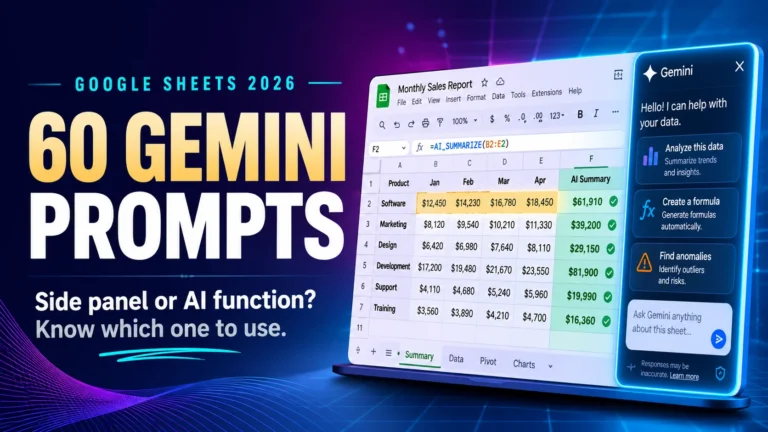
Gemini prompts for Google Sheets60 prompts
Gemini. Formulas, data cleanup and analysis inside a live spreadsheet.
Nano Banana 2 infographic prompts40 prompts
Nano Banana 2. Charts, diagrams and clean isolated image assets.
Veo 3.1 prompts for product videos30 prompts
Veo 3.1. Hero product shots, demonstrations, testimonials and vertical social hooks.
New collections are added to this AI prompts library regularly, and older sets are re run when a model update changes how they behave. Every set also sits in the AI Prompts Library category.
How These Prompts Are Built and Tested
Two different methods sit behind this library, and mixing them up would be dishonest, so here is exactly how each type is produced.
Text prompts: run and scored in the tool
The accountant, HR, student and Google Sheets collections were run inside the tool on the paid tiers most people actually use, then judged on the quality of the first response. A prompt that needs three rounds of correction is not saving anyone time, so those were cut rather than published. Survivors were rewritten with variables in square brackets and re run to confirm the structure still held.
Image and video prompts: built from vendor documentation
Image and video models charge per generation and change behaviour between preview releases, so those sets are constructed from the vendor’s published prompt structure, parameter tables and documented limits, then written to fit the formats people actually need. Where a figure appears, it comes from official documentation rather than a reseller page.
Why the distinction matters. A tested claim and a documented claim are not the same thing. Sites that blur the two are the reason most prompt libraries cannot be trusted. If a collection here says tested, it was run. If it says built from documentation, it was not.
Prompts by Profession
Accountants and Finance Teams
Finance work is where a prompt either saves a full afternoon or wastes twenty minutes, and the difference is almost always context. Ask a model to explain a variance and you get a textbook definition. Give it the account, the period, the budget figure and the actual figure, and you get commentary you can put in front of a manager without rewriting it.
This is the largest set in the library because finance tasks are repetitive and structured, which is the kind of work language models handle well. It covers month end close, variance commentary, client communication, engagement letters, expense categorisation, tax season checklists and firm operations.
Read the full set: 100 best ChatGPT prompts for accountants. If you are deciding which model to run them in, our ChatGPT vs Claude comparison for accountants tests the same finance tasks side by side.
Before you start. Never paste client names, account numbers or identifiable financial data into a consumer AI tool. Replace real figures with placeholders, get the structure back, then fill in the real numbers inside your own system.
HR and Recruiting
HR teams write the same documents repeatedly with small variations, which makes this one of the highest return areas for a prompt library. Job descriptions, interview scorecards, policy summaries, offer communication and review language all follow patterns a model reproduces well when the instruction is specific enough.
Each prompt in this set asks for a defined structure, a stated tone and a word limit, because unconstrained HR output reads like a template and employees notice immediately.
Read the full set: 50 ChatGPT prompts for HR professionals.
College Students
Students get the most value from AI when it structures their thinking rather than produces finished work. This collection is built on that principle: breaking down assignment briefs, building essay outlines, turning lecture notes into revision questions, explaining hard concepts at several levels, and preparing for exams with active recall.
Prompts that write complete essays were deliberately left out. Beyond the academic integrity problem, most universities now run detection, and full essay output is worse than what a student produces from a solid outline and their own reading.
Read the full set: 80 ChatGPT prompts for college students.
Prompts by Tool and Task
Profession is one way to organise a library. The other is by what the model actually does, because a spreadsheet prompt, an image prompt and a video prompt follow completely different rules from a writing prompt.
Gemini for Google Sheets
Spreadsheet prompts fail for a specific reason: the model cannot see your data unless you tell it the shape of your data. These prompts state the range, the column headers and the expected output type before asking for anything, which is why they return a working formula instead of an approximation.
Read the full set: 60 Gemini prompts for Google Sheets.
Nano Banana 2 for Infographics
Image prompts are description problems, not instruction problems. Layout, hierarchy, palette and text placement have to be stated explicitly or the model invents them, and invented layout is what makes AI infographics look like AI infographics. This set also produces the clean isolated assets you need as reference images for video work.
Read the full set: 40 Nano Banana 2 infographic prompts.
Veo 3.1 for Product Video
Video prompts are shot instructions with an audio line attached. The model needs a camera behaviour, one physical action, a lighting mood and an explicit soundtrack, because native audio is always on and will invent a soundtrack if you stay silent. This set is grouped by the kind of business running the ad, from hero product reveals to vertical social hooks.
Read the full set: 30 Veo 3.1 prompts for product videos. If you have not chosen a model yet, our roundup of the best AI video generators in 2026 compares pricing, clip length and free tiers first.
How to Write Prompts That Actually Work
Every prompt in this AI prompts library follows the same five rules. Once you understand them you can build your own for any task, which is worth more in the long run than any published list.
1. Give the model a role and an audience
“Write a project update” returns something generic. “You are a project manager writing a weekly update for a client who is not technical” returns the right vocabulary at the right level of detail. The role sets the expertise. The audience sets the complexity.
2. Provide the raw material instead of asking the model to invent it
The biggest single jump in quality comes from pasting your actual notes, figures or draft into the prompt. A model asked to write from nothing produces plausible filler. A model given real material organises, sharpens and reformats it, which is usually what you wanted.
3. Constrain the output format
State how long, in what structure and in what tone. “In under 200 words, as three bullet points, in a direct professional tone” removes most of the rambling that makes AI output obvious. Without constraints, models default to long and hedged.
4. Show one example of what good looks like
If you have a previous document you were happy with, paste a section and say “match this style”. This closes most of the gap between AI output and your own voice, and it works far better than listing style adjectives.
5. Iterate in the same thread instead of starting over
When the first output misses, do not rewrite from scratch. Say what was wrong in one sentence and ask for a revision. The model already holds the context, and correcting is faster than restating. This matches the published prompt engineering guidance from OpenAI.
The Prompt Formula
If you want one template to fall back on, use this structure:
You are a [role] writing for [audience].
Material to work from: [paste your notes, data, or draft]
Task: [what you want produced]
Length: [word count]
Format: [bullets, table, email, outline]
Tone: [direct, warm, formal, plain English]
Avoid: [jargon, filler, specific words you dislike]
Fill in the brackets and you have a prompt better than most of what gets published online. For image and video work, swap the last four lines for camera, composition, lighting and audio, which is the structure used in the video collection above.
Mistakes That Ruin AI Output
Asking for too much in one prompt. A prompt requesting a strategy, a budget, a timeline and an email in one go will do all four badly. Split it into steps and feed each result into the next.
Accepting the first answer. The first output is a draft. One round of correction usually doubles the quality and takes fifteen seconds.
Pasting confidential data. Client names, employee records, financial statements and student information should never go into a consumer AI tool. Anonymise first, then work.
Using the same prompt across every tool. Models respond differently to structure and length. Anthropic publishes its own prompt engineering documentation for Claude, and the recommended structure differs from OpenAI’s in useful ways. Our ChatGPT review for 2026 covers where each tier actually helps.
Not saving what works. When a prompt produces something good, save it with the variables intact. That is how a personal library gets built, and a personal library always beats a public list.
Frequently Asked Questions
What is an AI prompts library?
It is an organised collection of tested instructions you copy into an AI tool to get a specific result. Instead of writing a prompt from scratch each time, you pick one that matches your task and swap in your own details.
How many prompts are in this library?
360 across six collections: 100 for accountants, 80 for students, 60 for Google Sheets, 50 for HR, 40 for infographics and 30 for product video. New sets are added regularly.
Are these prompts free to use?
Yes. Every prompt here is free to copy, edit and use in your own work. Most text prompts also work on the free tiers of the major tools, though image and video generation is generally paid.
Do these prompts work in Claude and Gemini as well as ChatGPT?
Most text prompts transfer with no changes. Prompts relying on file uploads, browsing or very long documents can behave differently, and where that happens it is noted inside the individual collection. Image and video prompts are model specific and do not transfer.
Which AI tool is best for prompts?
It depends on the task. ChatGPT is the most versatile for general work, Claude tends to hold structure and tone across long documents, and Gemini has the advantage inside Google Workspace. Our comparison articles test these differences directly rather than guessing.
Is it safe to put work information into AI tools?
Treat any consumer AI tool as a public place. Remove names, account numbers and anything identifiable before pasting. Many employers also have their own AI policy, so check it before using these prompts at work.
The Short Version
A prompt works when it gives the model a role, real material, a stated format and one clear task. Everything in this AI prompts library follows that shape, whether it is producing variance commentary, a revision plan, a spreadsheet formula, an infographic or an eight second product clip. Pick the collection that matches your work, run one prompt, change a single variable, and run it again. That discipline improves results faster than any list, this one included.

Ahmad Hussain
ACCAAhmad builds advanced Excel models, Power BI dashboards, and AI automation for businesses. He writes AI Foresight 360 himself, and every pricing figure and feature claim is verified against official documentation at the source.
Connect on LinkedIn